Full Lobby on Your Home Screen
The PWA gives you one-tap access to all 5,000+ games including Pragmatic Play pokies, Evolution Gaming live tables, Spribe crash titles, and the full sportsbook.
App at Vegas Nova: System Requirements
Install the Vegas Nova Progressive Web App from your mobile browser for home-screen access to 5,000+ pokies from Pragmatic Play, Evolution Gaming live tables, and a full sportsbook - no app store, no APK, no manual updates.
How to Install the Vegas Nova PWA
Mobile Security Practices
What You Should Do
What You Should Avoid
Your Casino in Your Pocket
Install the Vegas Nova Progressive Web App from your mobile browser for home-screen access to 5,000+ pokies from Pragmatic Play, Evolution Gaming live tables, and a full sportsbook - no app store, no APK, no manual updates.
Install the App Play responsibly - gambling can become addictive. Must be 18+ to register. Bonus T&Cs apply.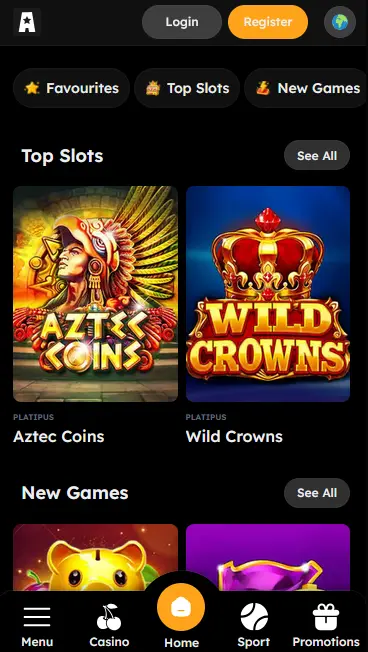
Vegas Nova PWA - Pros and Cons
Pros
Cons
What the Vegas Nova PWA Delivers
Full Lobby on Your Home Screen
The PWA gives you one-tap access to all 5,000+ games including Pragmatic Play pokies, Evolution Gaming live tables, Spribe crash titles, and the full sportsbook.
No App Store, No Wait
Install directly from Chrome on Android 9.0+ or Safari on iOS 14.0+. The process takes under a minute, requires no Google Play or App Store account, and consumes minimal device storage.
Secure Sessions Every Time
All connections run over TLS 1.2 with 256-bit encryption. Your account credentials and payment data are protected on every session, whether you play on Wi-Fi or mobile data.
Compatibility at a Glance
Android
iOS
Vegas Nova delivers its complete casino experience through a Progressive Web App rather than a native application. The PWA contains the same full library as the desktop site, with no content restrictions based on device. The only meaningful difference from the browser version is the home-screen shortcut and full-screen display.
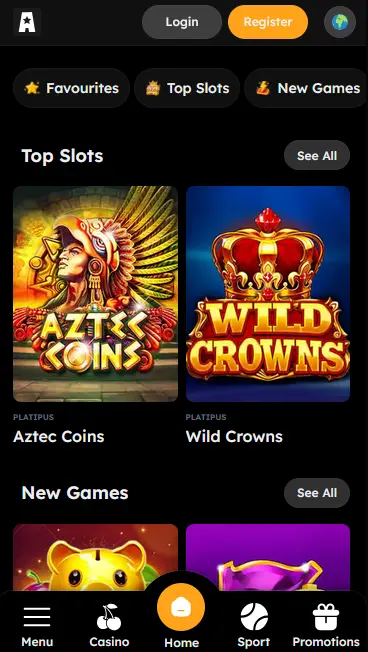
Every category in the Vegas Nova lobby is accessible from the PWA: pokies, Megaways, buy-bonus titles, jackpot games, crash games including Aviator from Spribe (RTP 97.0%), live dealer tables powered by Evolution Gaming and Pragmatic Play Live, table games, and the full sportsbook covering Premier League football, NBA basketball, tennis Grand Slams, and UFC. The cashier, bonus tracker, Nova Club loyalty dashboard, and account settings are all available within the PWA environment.
The browser version and the PWA access identical content. The PWA provides a full-screen interface without the browser address bar, a home-screen shortcut for faster access, and a slightly more app-like visual experience. Neither version requires a download of game assets; titles stream on demand over your internet connection.
Open Chrome on any Android 9.0 or above device. Navigate to vegasnovaslots.com and allow the page to finish loading. Chrome may display a banner at the bottom of the screen prompting you to Add to Home Screen - tap it to proceed. If that banner does not appear, tap the three-dot menu icon in the upper right corner of Chrome, scroll down the menu to Add to Home Screen, and select it. Confirm the shortcut name and tap Add. The Vegas Nova icon appears on your home screen immediately and opens the casino in full-screen mode.
Open Safari on an iPhone or iPad running iOS 14.0 or above. Navigate to vegasnovaslots.com. Once the page is fully loaded, tap the Share button, which is the square with an upward-pointing arrow at the bottom of the Safari toolbar. Scroll through the share sheet that appears and tap Add to Home Screen. You can rename the shortcut if you wish, then tap Add in the top right corner. The Vegas Nova icon appears on your home screen. Note that this process only works in Safari on iOS. Chrome on iPhone does not support PWA home-screen installation.
Players who prefer not to install anything can access the full Vegas Nova lobby directly in their mobile browser. Open Chrome on Android or Safari on iOS, navigate to vegasnovaslots.com, and play any of the 5,000+ games without any installation step. The touch-optimised HTML5 interface renders correctly on any modern smartphone screen.
The table below confirms the minimum device requirements for the Vegas Nova PWA and mobile browser experience.
| Platform | Minimum OS | Install Browser | Play Browser |
|---|---|---|---|
| Android | 9.0 | Chrome | Chrome, Firefox, Edge |
| iOS | 14.0 | Safari only | Safari, Chrome |
The mobile lobby contains the full pokie selection from the desktop site, including classic three-reel titles, video pokies with multi-level bonus rounds, Megaways mechanics, and buy-bonus options. Popular titles include Gates of Olympus by Pragmatic Play (RTP 96.5%), Sweet Bonanza by Pragmatic Play (RTP 96.51%), and Book of Dead by Play’n GO (RTP 96.21%). The full library of titles from Yggdrasil, BGaming, Hacksaw Gaming, and Nolimit City is also accessible.
Evolution Gaming’s full live casino suite streams without degradation on 4G and Wi-Fi connections. Players can join live tables for Lightning Roulette (RTP 97.3%), European Roulette (RTP 97.3%), Multihand Blackjack (Pragmatic Play Live, RTP 99.5%), Three Card Poker (Evolution Gaming, RTP 96.63%), and Baccarat (Evolution Gaming, RTP 98.94%). All tables stream in HD with professional dealers.
The table games section on mobile includes blackjack, roulette, baccarat, and video poker titles from Habanero, Evoplay, and Red Tiger Gaming. The jackpot section is fully accessible on mobile, with progressive prize totals updating in real time.
New players who register and deposit via the PWA are eligible for the same welcome offer as desktop players: a 150% match up to AUD 2,500 plus 200 free spins on Gates of Olympus by Pragmatic Play. Enter promo code WELCOME at the cashier. Minimum deposit AUD 20. Wagering requirement 35x on the bonus amount. Free spin winnings carry 0x wagering. 18+ only. T&Cs apply. Gamble responsibly.
All payment options available on desktop are accessible through the mobile cashier. Visa, Mastercard, Bitcoin, Ethereum, Google Pay, Apple Pay, Skrill, Astropay, and bank transfer are all available. The minimum deposit is AUD 20 and the minimum withdrawal is AUD 50.
| Method | Min Deposit | Processing Time |
|---|---|---|
| Visa | AUD 20 | Instant deposit / up to 72 hrs withdrawal |
| Mastercard | AUD 20 | Instant deposit / up to 72 hrs withdrawal |
| Bitcoin (BTC) | AUD 20 | Instant deposit / 12-18 hrs withdrawal |
| Ethereum (ETH) | AUD 20 | Instant deposit / 12-18 hrs withdrawal |
| Skrill | AUD 20 | Instant deposit / up to 24 hrs withdrawal |
All transactions are processed over TLS 1.2 with 256-bit encryption. Payment credentials are handled directly by the payment provider and are not stored on Vegas Nova’s servers.
Tap the register button on the Vegas Nova homepage in your mobile browser or PWA. Enter a valid email address, choose a secure password, and fill in your personal details. Confirm the verification email to activate your account. All players must be aged 18 or over.
Use your registered email address and password to log in on mobile. The same credentials work across the PWA, mobile browser, and desktop. If you enable your device’s credential manager, your browser may offer to fill the login fields automatically.
Every session uses TLS 1.2 protocol with 256-bit encryption, applied at the connection level regardless of whether you access Vegas Nova through the PWA or the mobile browser.
Where 2FA is enabled on your account, the additional verification step applies on mobile as well as desktop. Enabling 2FA is recommended for any account with a stored payment method.
On Android and iOS devices that support it, the browser’s credential manager can pair your saved Vegas Nova login with fingerprint or facial recognition, enabling biometric authentication within the PWA session.
Live chat is accessible from the PWA and mobile browser at all times. Tap the chat icon in the lower right corner of any page to connect with a support agent, typically within 1-2 minutes. Email support is available at [email protected] for queries requiring documentation. There is no phone support channel.
Set a budget before starting any gaming session. Deposit limits, session limits, and self-exclusion tools are available through your account settings or by contacting the support team at [email protected]. Gambling is for adults aged 18 and over only. Please gamble responsibly.
Mobile App FAQs
No. Vegas Nova does not currently offer a native app in either store. The Progressive Web App, installed directly from vegasnovaslots.com, delivers equivalent functionality including full access to Pragmatic Play and Evolution Gaming titles.
No. The Vegas Nova PWA requires an active internet connection to load games, process bets, and access the live casino section powered by Evolution Gaming and Pragmatic Play Live.
Android 9.0 or above is required. The installation uses Chrome's built-in Add to Home Screen function. Devices running Android 9.0 include a wide range of Samsung, Xiaomi, OPPO, and other Android smartphones released from 2018 onwards.
Install Vegas Nova on Your Phone Now
Grab 150% up to AUD 2,500 and 200 free spins.
Enter the Casino Play responsibly - gambling can become addictive. Must be 18+ to register. Bonus T&Cs apply.